
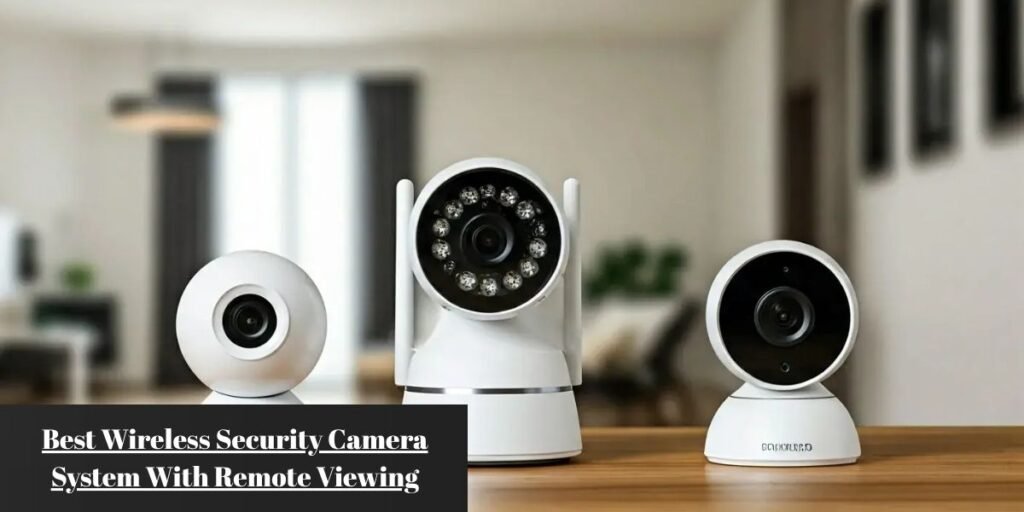
Purchasing a wireless security camera system with remote viewing starts with a clear reality: you want to log into your smartphone from anywhere in the world and view live, crystal-clear video of your property without buffering delays, system crashes, or hidden monthly charges. Whether you are monitoring a suburban home, a sprawling driveway, a retail business, or a distant cabin off the grid, the real challenge is selecting equipment that performs reliably in everyday conditions.
Many buyers mistakenly believe that buying high-resolution hardware guarantees a flawless remote connection. Resolution is only one piece of the puzzle. Factors like internet connection stability, internal video storage, power distribution, weatherproofing, and mobile application response times ultimately decide whether a security camera serves as an effective security barrier or becomes a source of frustration.
The market for security cameras has shifted dramatically away from expensive mandatory monthly plans and fragile single-lens cameras. Today, buyers demand local processing, long-distance wireless reliability, solar power autonomy, and instant remote access.
The Best Wireless Security Camera Systems With Remote Viewing
EufyCam S330 (HomeBase 3)
The eufyCam S330 system stands at the top of the market by offering true 4K video resolution backed by local data storage and zero ongoing subscription costs. Each camera features a built-in solar panel directly on its top surface, capturing enough ambient light to keep the internal battery charged indefinitely under normal outdoor conditions.
At the core of the setup is the eufy HomeBase 3 central hub. The hub maintains a dedicated, encrypted wireless network with each outdoor camera, isolating video processing tasks from your primary home Wi-Fi traffic. The HomeBase 3 includes 16 GB of built-in storage, but its real advantage lies in its drive expansion bay, which supports 2.5-inch SATA hard drives or solid-state drives up to 16 TB.
High-definition video streams load within two to three seconds on cellular connections via the Eufy Security mobile app. On-device BionicMind AI filters out false alarms by learning to distinguish known family members from unrecognized individuals, vehicles, and pets. While the fixed 135-degree field of view requires deliberate placement to cover wide spaces, the combination of pristine 4K imagery and expandable local storage makes it an outstanding long-term investment.
Reolink Argus 4 Pro: Best for Outdoor Security
When broad perimeter coverage is the primary goal, traditional cameras with narrow lenses force you to buy multiple units. The Reolink Argus 4 Pro solves this layout problem by utilizing dual 4mm lenses that stitch two distinct video feeds inside the camera, outputting a seamless 180-degree panoramic 4K video stream.
Unlike standard outdoor security cameras that rely on blinding white spotlights to capture color video at night, the Argus 4 Pro features ColorX technology. Its large f/1.0 aperture lens and advanced 1/1.8-inch image sensor absorb tiny amounts of ambient light from distant streetlights or stars to render vivid, full-color footage in deep dark conditions without turning on visible lights.
The camera features dual-band Wi-Fi 6 (2.4 GHz and 5 GHz) support, reducing latency and buffering when streaming ultra-wide panoramic video to mobile phones. Local recording is managed via a microSD card up to 512 GB or direct sync with the Reolink Home Hub. Powered by a 5000 mAh rechargeable battery supported by an external 6-watt USB-C solar panel, it delivers continuous hands-off performance across large yards and entryways.
Lorex 4K Fusion Wireless NVR System: Best for 24/7 Continuous Recording
Battery-powered systems enter a sleep state between motion events to conserve energy, making them unsuitable for continuous, unbroken recording. For properties requiring uninterrupted round-the-clock video capture, the Lorex 4K Fusion System connects plug-in Wi-Fi or wired cameras directly to a dedicated Network Video Recorder (NVR) equipped with a pre-installed 2 TB to 4 TB surveillance hard drive.
Because the cameras plug into standard power outlets, they stream continuous video over a private wireless network directly to the NVR chassis. The NVR records 24 hours a day, 7 days a week, for weeks at a time without requiring any cloud storage subscription.
Direct remote connection via the Lorex app allows live playback of continuous timelines, not just isolated motion clips. The internal hard drive bays are expandable up to 16 TB total local capacity, providing a robust local server infrastructure that remains completely unaffected by battery drain issues.
Reolink Go PT Ultra: Best for Remote Off-Grid Properties
Monitoring remote construction sites, rural land, boat slips, or distant farms presents a major challenge: the complete absence of Wi-Fi networks and electrical outlets. The Reolink Go PT Ultra functions entirely independent of traditional home infrastructure by incorporating a built-in 4G LTE cellular module alongside a motorized 355-degree pan and 140-degree tilt mechanism.
By inserting a nano-SIM card from a compatible cellular carrier, the Go PT Ultra creates its own direct link to the cellular network, allowing you to control camera pan/tilt rotation and view live 4K video directly from your smartphone.
Power is supplied by an internal rechargeable battery paired with a compact weather-resistant solar panel. An onboard microSD slot supporting up to 512 GB protects video logs locally even during network tower outages, making it the most practical choice for off-grid deployment despite requiring an active cellular data plan.
How Remote Viewing Works
Remote video viewing relies on a secure data relay between your physical security camera, your local internet gateway, and your mobile device. When a camera records a scene, it compresses the video file using H.265 (HEVC) encoding to reduce file size without sacrificing sharpness.
The compressed video travels wirelessly to your router or NVR hub, which routes the data packets through your internet provider to an encrypted Peer-to-Peer (P2P) network protocol. When you tap the mobile application on your phone, a secure handshake verifies your login credentials, creating an encrypted data tunnel directly back to your local storage hub or camera.
Inside a modern smartphone application, you can execute essential monitoring tasks anywhere you have mobile data access. You can stream low-latency live video, access past event timelines, download clips directly to your phone’s memory, receive real-time motion alerts, speak through two-way audio, or trigger warning sirens remotely.
A camera being wireless refers exclusively to how it transmits video data or receives power; it does not guarantee remote access. Remote viewing depends entirely on whether that camera system connects securely to an active internet source.
Can You Use Remote Viewing Without Wi-Fi?
Yes, you can view security cameras remotely without a local Wi-Fi router, provided you choose a system equipped with a 4G LTE cellular modem.
While a standard Wi-Fi security camera requires a local wireless router to reach the internet, a cellular security camera functions like a smartphone. It uses a SIM card to connect directly to nearby cell towers, enabling live video transmission from remote mountain cabins, vacant lots, agricultural lands, or mobile work sites.
Pick the Power Setup Before You Pick the Camera
Choosing how your security system receives electrical power is the single most critical decision in camera planning. Installing the wrong power style leads to dead cameras, missed recordings, or frequent ladder trips to recharge batteries.
Battery-powered cameras are ideal for low-traffic residential entryways or rental properties where drilling wires is prohibited. They offer simple setup with zero wiring, though they rely exclusively on motion-activated recording and experience battery degradation in sub-zero temperatures.
Solar-assisted setups work exceptionally well for sunny outdoor perimeters, driveways, and high rooflines. They provide continuous passive charging for hands-off operation, requiring roughly two to three hours of direct daily sunlight to maintain full battery levels.
Plug-in wireless cameras suit high-traffic front yards and commercial storefronts. Because they pull continuous AC power from an electrical outlet, they support full 24/7 continuous recording without any risk of battery drain.
Hub-linked systems connect multiple cameras to a centralized indoor base station. This configuration isolates heavy security video traffic from your home Wi-Fi network while keeping all video processing and power management centralized.
Where Will Your Video Recordings Go?
A major point of confusion for security system buyers is the difference between remote viewing and cloud recording. Remote viewing is the live transmission of data to your phone screen. Cloud recording is storing those recorded video files on remote manufacturer servers.
MicroSD / On-Camera Local Storage
Video clips save directly to a flash memory card installed inside the camera chassis. This approach eliminates monthly subscriptions and allows you to stream stored footage remotely through your phone. However, if an intruder steals or damages the physical camera, the local video files stored on that memory card are permanently lost.
NVR or Base Station Hub Storage
Cameras record wirelessly to a central base station located safely inside your home. There are no monthly subscriptions, and if a camera outside is physically destroyed, all footage recorded up to that second remains safely stored on the hub’s internal hard drive inside your house. Base stations support massive storage expansion up to 16 TB, accommodating months of 4K footage.
Cloud Storage
Video clips upload automatically over your home internet connection to remote server farms. This service typically costs between $3 and $12 per month per system. It keeps footage safe off-site even during fires or physical thefts, though it requires steady upload speeds and consumes data against monthly internet caps.
If your home internet connection drops unexpectedly, local storage systems (MicroSD cards or NVR hubs) continue recording video events without interruption. However, you will lose the ability to view those feeds remotely until internet service is restored to the site.
Wi-Fi Range and Internet Requirements for Remote Viewing
A high-spec 4K camera is useless if it suffers from signal dropouts whenever you try to view it remotely. Wireless signal strength degrades quickly as it passes through dense building materials. The 2.4 GHz band travels long distances and penetrates exterior brick, wood, and concrete walls effectively, but transmits data at slower speeds. Conversely, the 5 GHz and Wi-Fi 6 bands deliver rapid data throughput ideal for streaming 4K video, but struggle to penetrate thick exterior insulation walls.
When placing cameras outdoors, ensure your internet connection meets minimum upload speed requirements. Remote viewing performance depends on your internet service provider’s upload bandwidth, not just download speeds. A standard 1080p stream requires a minimum upload speed of 2 Mbps per camera. A 2K stream requires 4 to 5 Mbps per camera, while a 4K stream demands 8 to 10 Mbps per camera for smooth playback.
If you plan to run four 4K wireless cameras simultaneously, your home internet connection must maintain a stable upload speed of at least 30 to 40 Mbps. Installing a dedicated mesh Wi-Fi system or placing satellite nodes near exterior walls helps maintain strong connections to outdoor cameras.
What to Look for in the Camera Itself
Video Resolution
Modern security cameras start at 1080p, but 2K (4 Megapixels) and 4K (8 Megapixels) have become the industry standard for outdoor monitoring. Higher resolutions preserve image clarity when you pinch-to-zoom on a phone screen to read small text or recognize distant license plates.
Night Vision Technologies
Traditional Infrared (IR) night vision uses invisible light LEDs to capture sharp black-and-white video in total darkness. Modern Color Night Vision uses bright built-in LED spotlights or wide-aperture lenses to maintain full-color detail at night. Full-color recording helps identify crucial details like vehicle colors, clothing tones, and hair color during security incidents.
On-Device Smart Detection
Basic motion sensors trigger false notifications every time a tree branch sways or a moth flies past the camera lens. Look for systems featuring on-device Edge AI processing. This technology processes video frames locally on the camera hardware to detect human silhouettes, vehicle shapes, and animal movements, sending push alerts only for genuine security events.
Field of View and Weather Protection
A standard security camera covers a 130 to 140-degree field of view. For wide front yards or long driveways, ultra-wide or dual-lens models covering 180 degrees eliminate blind spots. For outdoor installations, look for an IP66 or IP67 weather-resistance rating, ensuring internal components remain protected against driving rain, blowing dust, and extreme temperature swings ranging from -4°F to 122°F (-20°C to 50°C).
Which System Makes Sense for Your Property?
For a Suburban House
Prioritize coverage at primary access points: the front porch, driveway, and backyard patio door. A solar-assisted 4K camera system linked to an internal HomeBase hub provides ideal protection. The hub keeps your recorded footage safe inside your home without recurring monthly subscription fees.
For a Large Yard or Driveway
Choose ultra-wide 180-degree panoramic cameras or pan-and-tilt security systems. Mounting a dual-lens camera above a garage door covers a wide three-car driveway and side pathways from a single mounting location, eliminating the need to buy and install multiple individual cameras.
For a Small Business
Select a plug-in wireless system linked directly to an NVR with an internal surveillance hard drive. Commercial spaces require 24/7 continuous video logs rather than short motion clips, ensuring every transaction, delivery, and employee shift is fully documented.
For a Property Without Internet
Deploy a self-contained 4G LTE cellular solar camera. These standalone units run on solar power and send live video alerts directly to your mobile application over cellular networks, making them ideal for monitoring remote properties without utilities.
Setting Up the System for Remote Access
Follow this step-by-step setup sequence to ensure seamless installation:
- Test Wireless Signals First: Before drilling holes into exterior walls, temporarily place your camera at the planned mounting location. Open the manufacturer’s mobile app on your phone and verify that the live video stream loads quickly with a strong Wi-Fi signal strength indicator.
- Pair Cameras Near the Hub: Bring all cameras, hubs, and your phone into the same room. Power on the devices and complete the initial pairing process over your local Wi-Fi network.
- Format Storage Drives: Insert your chosen storage media—such as a microSD card into a camera or a SATA hard drive into an NVR hub—and format the drive using the mobile application settings menu.
- Configure Motion Detection Zones: Draw customized activity detection zones inside the mobile application screen. Block out high-traffic public roads or waving tree branches to eliminate unwanted push notifications.
- Set Up Remote Access and Accounts: Set strong passwords and activate two-factor authentication (2FA) within your security app to protect your video streams from unauthorized access.
- Mount Equipment Securely: Install camera brackets at a height of 7 to 10 feet (2 to 3 meters) above the ground. This angle provides clear facial detection while keeping cameras out of reach from potential vandalism.
- Perform an Off-Network Test: Turn off Wi-Fi on your mobile phone to switch to cellular data, then open your security application. Verify that live feeds and recorded clips load quickly over cellular networks.
Remote Viewing Problems That Are Easy to Miss
High download speeds do not guarantee smooth video streaming. If your internet provider limits upload speeds to 3 Mbps, streaming multiple 4K video feeds remotely will cause severe buffering and image distortion. You must ensure your broadband upload tier matches your camera stream output.
Smartphone OS power-management settings frequently suppress background application activity. If your phone delays security alerts, navigate into your device settings to ensure the camera management app is explicitly exempt from background battery optimization routines.
Pointing an outdoor camera directly toward the east or west leads to severe sunrise or sunset glare, washing out vinetworkdeo footage and triggering false motion alerts. Angling camera mounts slightly downward mitigates direct glare while retaining sharp motion capture across ground pathways.
Wireless stability can degrade if multiple neighboring networks operate on identical broadcast frequencies. Accessing your router settings to auto-select less congested channels resolves interference issues. Additionally, enabling automatic firmware updates in your security app prevents compatibility gaps between your camera hardware and updated phone operating systems.
Frequently Asked Questions
Can I View My Security Camera From Anywhere?
Yes, you can view live and recorded footage from anywhere in the world, provided your security camera connects to an active internet source (via home Wi-Fi, Ethernet, or 4G LTE cellular data) and your mobile device has cellular data or Wi-Fi access.
Do Wireless Security Cameras Need Wi-Fi?
Most residential wireless security cameras require Wi-Fi to transmit video files to your phone or local base station. However, dedicated 4G LTE cellular security cameras use built-in SIM cards to operate completely independent of local Wi-Fi networks.
Can Wireless Cameras Work Without Internet?
Yes, wireless security cameras can record footage without an internet connection if they feature local storage media, such as an internal microSD card or a connected NVR hub. The system will continue saving motion events locally, but you will not receive real-time phone alerts or be able to view live streams remotely until internet access is restored.
Can I View Security Cameras Without Paying a Monthly Fee?
Yes, many modern camera brands, including eufy, Reolink, and Lorex, provide full remote live viewing, smart AI motion detection, and push notifications without monthly subscription fees. These systems save video files locally using onboard microSD cards or expandable base station hard drives instead of cloud storage servers.
Can Wireless Security Cameras Record 24/7?
Battery-powered and solar-assisted wireless cameras record only when motion is detected to conserve energy. For true 24/7 continuous recording, you must select a plug-in Wi-Fi camera system linked directly to an NVR or base station equipped with a continuous surveillance hard drive.
Can I View Multiple Cameras From My Phone?
Yes, security camera mobile applications display grid views that allow you to monitor multiple camera feeds simultaneously from a single app interface, toggle between camera locations, and manage system settings across multiple properties.