
Modern businesses run on information. Customer accounts, payroll files, quarterly balance sheets, trade secrets, and daily email threads move through office networks and cloud servers every minute. Protecting that data is no longer a job that sits quietly inside the IT department. One security gap can expose sensitive records, corrupt a critical database, or stop operations cold. A forgotten cloud storage link, a weak admin password, or an unvetted software integration is all it takes.
The scale of the problem is measurable. IBM’s Cost of a Data Breach Report 2026 puts the global average cost of a breach at a record $4.99 million, up 12% year over year, while the U.S. average reached $11.5 million. You can read the full findings on IBM’s Cost of a Data Breach page. Those figures are blended benchmarks rather than forecasts for any single company, but they show why boards now treat security as a business risk and not a technical footnote.
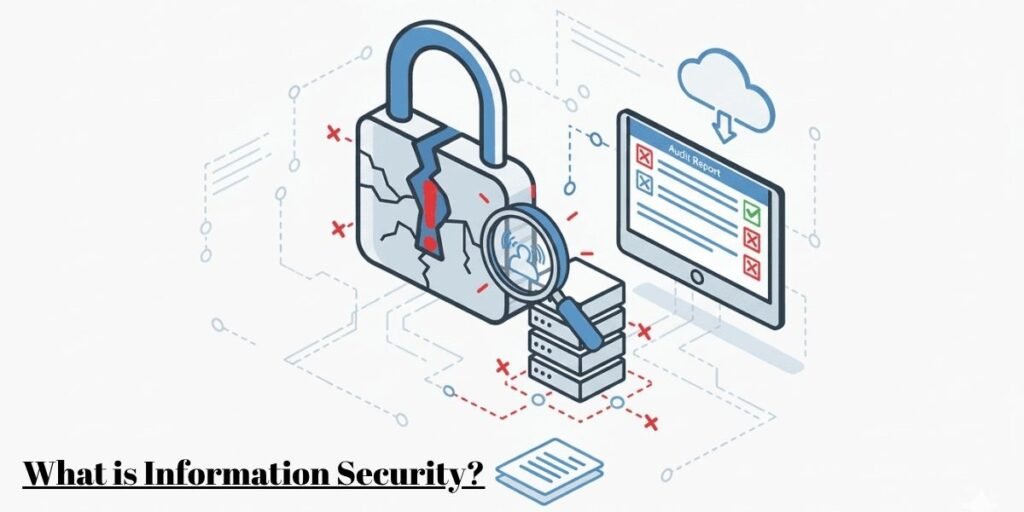
Information security, often shortened to InfoSec, is the discipline of protecting data from unauthorized access, accidental exposure, alteration, destruction, and operational downtime. Doing it well takes a practical mix of corporate policy, human habits, clear workflows, and software controls.
Real protection goes well beyond a firewall that keeps outside hackers away. Companies also have to manage internal access levels, lock down paper records, monitor third-party vendors, prevent accidental email leaks, and keep core databases online when systems fail.
This guide explains how real organizations manage security risk, protect critical records, build practical technical defenses, and align with international frameworks without drowning daily operations in red tape.
What Information Security Means for a Business
At its core, information security protects the value and usability of company data. On an ordinary workday, that means setting sensible boundaries around how staff create, share, store, and eventually delete sensitive files.
Company information lives in many formats, and each one needs its own safeguards. Core databases and cloud folders hold customer records and sales histories. Paper contracts, tax documents, and blueprints sit in file cabinets. Internal conversations flow through chat apps and corporate email. Encrypted offsite backups wait for an emergency recovery, while outside payroll and benefits platforms hold employee data beyond the company network.
The level of protection should always match how sensitive the information is and what happens if it gets out. A public press release needs basic checks so nobody edits the text before publication. Proprietary source code or customer card details demand strict access controls, continuous monitoring, and tightly limited viewing rights.
Picture a mid-sized retailer that processes online orders and manages warehouse stock. Customer service agents need phone numbers and shipping addresses to chase missing parcels, but they have no reason to see card numbers or payroll records. Payment gateways should tokenize card data immediately, and HR files need their own encryption to protect employee privacy. I have seen many companies get this wrong by granting one broad access group to the whole support floor because it was easier on day one.
People often lump information security, cybersecurity, and data privacy together, yet each covers a different boundary.
- Information security is the umbrella over every effort to protect data, whether it sits in a cloud database, on an employee laptop, or in a locked filing cabinet.
- Cybersecurity is a focused branch of information security that defends digital assets, networks, internet connections, and servers against online attacks.
- Data privacy deals with the legal rules, corporate policies, and ethical standards that govern how personal data is collected, shared, stored, and deleted.
The Three Security Principles Every Business Must Protect
Security teams judge every policy, tool, and process against a simple model called the CIA triad, which stands for Confidentiality, Integrity, and Availability. Balancing the three keeps records reliable without locking systems down so hard that employees cannot work.
Confidentiality: Keeping Sensitive Information Out of the Wrong Hands
Confidentiality means sensitive records are visible only to the people and software processes that genuinely need them.
Restricting access starts with identity checks. Role-based permissions tie access to job responsibilities, so employees see only what their daily tasks require. Multifactor authentication makes users confirm their identity with a second device or app before they enter internal networks. Strong cryptographic standards such as AES-256 scramble stored files and live traffic into unreadable text, and fine-grained folder permissions block unauthorized reading, editing, or exporting.
A financial analyst reviewing quarterly budgets needs full access to the accounting suite. Proper role restrictions keep that same analyst out of medical claims and salary details held by human resources.
A password alone never keeps a file safe. Confidentiality depends on active permission management and least-privilege policies that someone actually reviews.
Integrity: Preventing Unauthorized Changes to Business Records
Integrity guarantees that company data stays accurate, complete, and untampered.
When someone quietly changes vendor bank details, inventory counts, or accounting logs, the business loses money and trust very quickly. Automated audit logs record every file open, edit, deletion, and permission change. Cryptographic checksums give important files a unique digital fingerprint, so security tools flag unauthorized edits right away. Input validation stops malformed or unauthorized entries at the application boundary, and version control lets teams roll back changes nobody verified.
Reliable data does not mean every human entry is error-free. Security tools catch unauthorized changes and log edits, but operations teams still need double-check procedures to catch typos where data first enters the system.
Availability: Keeping Information Accessible When It Is Needed
Protecting information also means keeping systems reachable so work does not grind to a halt.
An environment with strong encryption and tight permissions is worthless if a server crash stops staff from opening customer records. Disruptions come from distributed denial-of-service attacks, cloud provider outages, hardware failures, and ransomware infections.
Staying online takes real infrastructure planning. Encrypted backups stored in separate geographic regions protect records during local disasters. Load-balanced web servers keep sites responsive during traffic spikes, and written recovery playbooks lay out the steps for restoring essential services quickly. DDoS filtering services clean incoming traffic before it reaches primary application servers.
Imagine an e-commerce store in the middle of a major weekend sale. If a database fault disconnects the warehouse inventory system, staff cannot pack orders, revenue stalls, and customers lose patience.
All three legs of the triad have to work together. A setup that locks data down so tightly that staff cannot do their jobs causes real business harm, just as a leak does.
Where Businesses Face Information Security Risks
Corporate data faces threats from every direction, from organized criminal groups to ordinary human slip-ups. Two recent datasets give a useful picture of what is actually happening.
Verizon’s 2026 Data Breach Investigations Report analyzed more than 31,000 security incidents and 22,000 confirmed breaches across 145 countries, its largest dataset to date. Its headline findings are worth knowing. Vulnerability exploitation, at 31%, overtook credential abuse as the top way attackers get in. Third-party involvement jumped to 48% of breaches, up from 30%. Ransomware appeared in 48% of breaches, and 69% of victim organizations chose not to pay. The full report is available on the Verizon DBIR page.
Here is how those risks show up inside a real company:
- Phishing tricks staff with messages that appear to come from executives, software vendors, or the internal IT desk. The goal is to push employees into typing credentials on a fake website. IBM’s 2026 research found that phishing, including voice and SMS variants, remains the leading initial attack vector, and that vishing and smishing produced the costliest breaches at an average of $5.29 million.
- Insider risk comes from current employees, temporary contractors, and departing workers. It can be accidental, such as a misplaced cloud sharing link, excessive folder rights, or an unencrypted attachment sent to the wrong person. It can also be deliberate, like data theft in the final weeks before someone resigns.
- Ransomware enters a network, encrypts operational files, and demands payment for the unlock key. Many groups now copy sensitive files first and threaten to publish them if the victim refuses to pay. The FBI’s Internet Crime Complaint Center logged 3,611 ransomware complaints in 2025, up from 3,156 the year before, according to its annual reports.
- Outdated software and default settings hand attackers an easy target. Operating systems and applications regularly reveal coding flaws, and automated scanners find unpatched systems within hours of a disclosure. The DBIR found that only 26% of vulnerabilities on CISA’s Known Exploited Vulnerabilities catalog were fully remediated in 2025. You can browse that list on the CISA KEV catalog. In my experience, patching delays rarely come from ignorance. They come from nobody owning the schedule.
- Third-party vendor access is the fastest-growing entry point. Modern companies connect their data to outside cloud hosts, billing tools, and software services. If a vendor keeps weak security, attackers can use that vendor’s access to walk into the main corporate network. IBM’s 2026 data reinforces the point, naming supply chain compromise as a leading cost driver for UK organizations.
- Physical loss causes serious incidents without a single line of malicious code. Stolen laptops, lost flash drives holding unencrypted backups, badly discarded paper files, and printouts left on open desks can expose private data instantly.
Consider an operations manager who receives a convincing email asking them to open a shared cloud document. The manager types their login details into a fake page. Because that manager holds broad administrative rights across several department folders, the attacker uses the stolen credentials to pull customer files and launch ransomware across core database drives. Firewalls were running the whole time. Broad permissions and one compromised password were enough to cause a crisis.
The Security Controls That Help Protect Business Information
Organizations turn security principles into daily routines through technical safeguards, physical protections, and operating rules.
Identity and Access Controls
Identity and access controls stop unauthorized users from moving between internal network areas. Multifactor authentication asks staff to verify logins through push notifications, hardware security keys such as a YubiKey, or authenticator apps like Microsoft Authenticator and Google Authenticator. This blocks logins even when a password leaks. Privileged Access Management (PAM) platforms such as BeyondTrust and CyberArk isolate and monitor administrator accounts, while identity platforms like Okta and Microsoft Entra ID handle single sign-on under least-privilege rules. CISA publishes practical guidance on multifactor authentication for organizations at any size.
Data Encryption
Encryption turns readable files into unreadable code that stays locked without the right key. It applies in two places:
- Data at rest covers stored files on hard drives, cloud buckets, and backup media, usually protected with ciphers like AES-256. Drive encryption tools such as BitLocker keep data locked when a laptop is lost or stolen.
- Data in transit covers live traffic between servers, cloud hosts, and browser sessions, secured with modern protocols such as TLS 1.3.
Encryption keeps a stolen drive unreadable, but it is not a cure-all. Valid logins, compromised admin accounts, and poorly managed keys in services like AWS Key Management Service or Azure Key Vault can still leave files exposed. IBM’s 2026 report flags encryption gaps as a fixable weakness that attackers routinely exploit to turn a compromise into an expensive breach.
Infrastructure Security
Infrastructure security needs continuous monitoring across workstations, mobile devices, custom software, and network perimeters. Endpoint platforms like CrowdStrike Falcon, Microsoft Defender for Endpoint, and SentinelOne watch device activity, block suspicious scripts, and isolate infected laptops automatically. Vulnerability scanners such as Qualys and Tenable check systems for missing updates so IT teams close gaps before attackers find them. Network segmentation divides internal networks into isolated zones to limit lateral movement.
Immutable Backups and Disaster Recovery
Backups preserve operations through crashes, database errors, and ransomware, but a simple copy on the local network is not enough anymore. Modern practice calls for immutable, isolated storage so secondary copies sit in a read-only state that ransomware cannot alter or delete. Teams should run regular restoration drills with tools like Veeam, Rubrik, or Cohesity. An untested backup is a hope, not a recovery plan.
Employee Security Awareness
Security awareness training matters because people sit at the center of most incidents. Automated phishing platforms send simulated emails and give instant refresher tips to anyone who clicks. Clear file-sharing standards push staff toward encrypted portals instead of plain attachments, and clean desk rules make sure paper documents are locked away when desks are empty and shredded when no longer needed.
Security Operations and Incident Response
Security operations teams rely on central logging to watch system activity, investigate alerts, and contain active incidents. Security Information and Event Management (SIEM) tools such as Splunk and Microsoft Sentinel collect event logs from servers, firewalls, and cloud accounts to spot unusual patterns. Written incident playbooks then lay out containment steps when something goes wrong.
Speed matters more than most executives realize. IBM found that the average time to identify and contain a breach rose to 247 days in 2026, the first increase in five years. Breaches lasting longer than 200 days cost an average of $5.65 million, compared with $4.32 million for those contained sooner. Organizations that used AI and automation extensively in security operations saved an average of $1.93 million per breach and contained incidents about 65 days faster.
How Businesses Build an Information Security Program
A pile of purchased tools is not a security strategy. Lasting programs grow through steady management, clear governance, and regular checkups.
- Data Asset Discovery: Security teams discover and inventory every data asset the business creates, processes, or stores. That means locating primary databases, uncovering unapproved cloud apps that remote teams adopted on their own, mapping physical document archives, and identifying which business tools depend on which data flows. Shadow AI has made this step harder. Verizon’s 2026 report found that 45% of employees now use AI tools regularly on corporate devices, up from 15%, which often means company data moves through services nobody has reviewed.
- Risk Assessment: Teams assess threat scenarios, system weaknesses, and likely downtime costs. This shows where existing controls fall short and where spending should go first.
- Ownership and Governance: Leadership assigns explicit ownership. Someone has to approve user access, review vendor security, manage patch schedules, and lead incident response. Programs fail most often at this step, because shared responsibility quietly becomes no responsibility.
- Continuous Auditing: Teams run internal audits, review user permission lists, update configurations, and refresh policies as the company adopts new tools, opens offices, or meets new threats.
Security must also fit the business. A small local agency handling basic client files needs far simpler controls than an international bank moving financial transactions. The goal is safeguards that are sensible, practical, and tied directly to real operational risk.
Information Security Standards and Compliance
International standards and compliance frameworks give companies structured blueprints for managing risk, guiding governance, and meeting contractual requirements.
ISO/IEC 27001 and Information Security Management
ISO/IEC 27001 defines the formal requirements for establishing, running, and continually improving an Information Security Management System (ISMS).
An ISMS gives leadership a structured way to manage corporate risk through written policies, people management, executive oversight, and regular performance reviews. The 2022 edition, published in October 2022, trimmed the Annex A control list from 114 controls to 93, grouped into four themes: organizational, people, physical, and technological. The transition period ended on October 31, 2025, so every active certification is now audited against the 2022 revision.
Following the principles of ISO/IEC 27001 internally is different from being certified. Any organization can adopt the guidance on its own, but official certification requires a formal audit by an accredited external certification body.
The NIST Cybersecurity Framework
Developed by the National Institute of Standards and Technology, the NIST Cybersecurity Framework helps organizations understand, measure, and communicate cybersecurity risk.
CSF 2.0, released on February 26, 2024, widened the framework’s reach beyond critical infrastructure so that organizations of every size can use it. Its biggest change was a new function called Govern (GV), which sits alongside the five functions from earlier versions: Identify (ID), Protect (PR), Detect (DE), Respond (RS), and Recover (RC). Govern sets executive risk strategy, policy, and supply chain expectations. Identify maps assets and risk exposure. Protect applies access limits and encryption. Detect watches for suspicious activity. Respond handles containment and communication, and Recover restores affected systems so normal operations can resume.
CSF 2.0 focuses on cybersecurity, but its guidance supports the wider goals of information security, and I often recommend it to smaller companies because it does not require certification to be useful.
Legal and Regulatory Requirements
Governments and industry bodies set legal rules for how companies handle, store, and protect sensitive records.
- The General Data Protection Regulation (GDPR) governs personal data of individuals in the European Union. It sets limits on collection, storage, and consent, and it requires breach notification to the supervisory authority within 72 hours in most cases. Fines can reach 20 million euros or 4% of global annual turnover, whichever is higher.
- In the United States, the Health Insurance Portability and Accountability Act (HIPAA) requires safeguards from healthcare providers and their vendors that handle protected patient information. Healthcare also carries the highest breach costs of any sector. IBM’s 2026 report ranks it first for the 13th consecutive year at $6.64 million per breach, with financial services closing the gap at $6.29 million.
- The Payment Card Industry Data Security Standard (PCI DSS) sets technical rules for merchants and processors that handle card transactions. Version 4.0.1 is the current release, and its future-dated requirements became mandatory on March 31, 2025.
Legal obligations depend on company location, industry, and the types of data collected. Compliance sets a legal baseline, but meeting a checklist is not the same as being secure. Plenty of breached organizations were fully compliant on audit day.
What Happens When Information Security Fails?
When security breaks down, businesses face immediate disruption, financial damage, and legal consequences that can last for years.
A breach can lock essential applications, leak private files, and halt normal work. Recovery costs pile up quickly. Companies hire outside forensic investigators to contain the intrusion, remove malware, and work out how attackers got in. They rebuild compromised servers, replace damaged hardware, and restore lost file systems. They may pay regulatory fines and face legal claims from affected customers or partners. Revenue drops while sales systems sit offline, and trust erodes, which can cost a company long-term enterprise contracts once a breach becomes public.
Financial fraud deserves its own attention because it often involves no stolen database at all. The FBI’s 2025 Internet Crime Report, released in April 2026, recorded $20.877 billion in reported losses across more than 1 million complaints, and business email compromise (BEC) alone accounted for roughly $3.05 billion across 24,768 complaints. Ransomware, by comparison, showed far lower reported losses, although the FBI cautions that many victims never report a figure. The complete data is published on the FBI IC3 site.
Consider how that plays out. An attacker takes over a compromised employee mailbox, reads an email chain with a supplier, and sends updated invoice payment details. Staff process the payment without calling the supplier to confirm the new bank account, and the company wires $250,000 straight to the attacker.
No customer data leaked and no systems went offline, yet the cash is gone. The lesson I stress to every finance team is simple: Replying to the email that requested a bank change is not verification. Call a known number. Practical security has to protect financial authorization workflows and data accuracy just as carefully as it protects file privacy.