
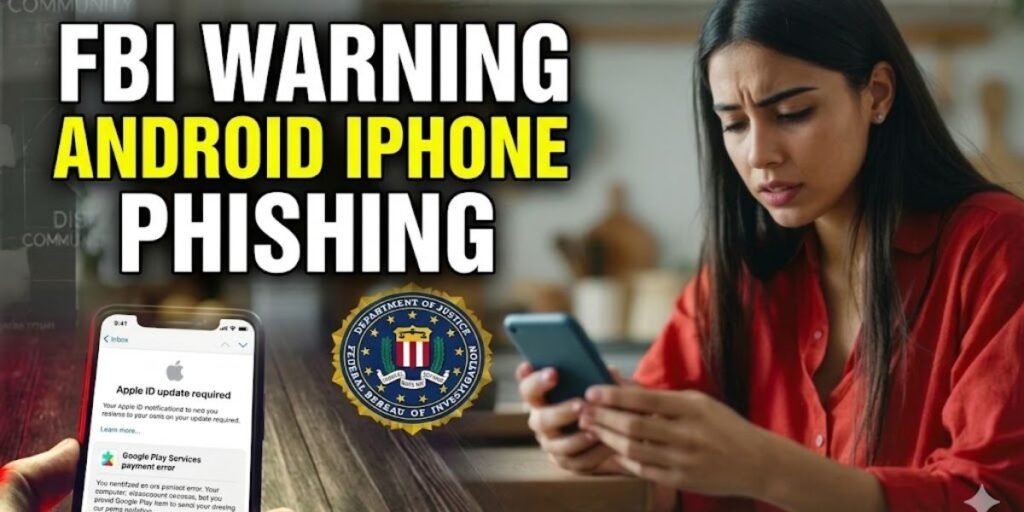
The FBI’s Internet Crime Complaint Center (IC3) recently issued an urgent security bulletin regarding a massive spike in mobile-centric phishing campaigns. These attacks, which reached a fever pitch in April 2026, are no longer just basic scams. They have evolved into hyper-personalized, AI-driven psychological operations targeting both Android and iPhone users. By exploiting the inherent trust we place in our mobile devices, cybercriminals are successfully bypassing traditional security measures to drain bank accounts and hijack digital identities.
What is the FBI Warning Android iPhone Phishing?
This specific warning refers to a surge in Smishing (SMS phishing) and messaging app exploitation that uses the name of the FBI or other government agencies to create a sense of immediate crisis. The hallmark of this 2026 wave is the impersonation of high-level officials or technical support bots.
Attackers send messages claiming your device has been compromised or that you are under investigation, providing a link to verify your identity. Once clicked, these links deploy Polymorphic Malware, code that changes its signature to evade antivirus software, or redirect you to pixel-perfect clones of login pages for iCloud, Google, or major banking institutions.
What Phishing Means in Mobile Cybersecurity
In the mobile context, phishing is the practice of sending fraudulent communications that appear to come from a reputable source to induce individuals to reveal personal information. On a smartphone, this is particularly lethal because:
- Reduced Visibility: Mobile browsers often hide the full URL, making it harder to spot fake domains.
- Touch-First Interface: The ease of tapping to open leads to impulsive actions that bypass the critical thinking usually applied on a desktop.
- Integrated Data: A single mobile compromise often gives an attacker access to 2FA codes, GPS location, contact lists, and stored biometric tokens.
How Mobile Phishing Attacks Actually Work in Real Scenarios
Modern attacks follow a sophisticated multi-stage playbook:
- Reconnaissance: Hackers use data from past breaches to find your name, career, and even recent purchase history.
- The Hook: You receive a text or WhatsApp message claiming your bank account was accessed from a new device. If this was not you, it asks you to secure your account via a provided link.
- The Interception: If you click, you are prompted to enter your credentials. Simultaneously, the attacker triggers a real login on the legitimate site, causing a real 2FA code to be sent to your phone.
- The Harvest: You unknowingly type that 2FA code into the fake site. The attacker now has full, authorized access to your account.
FBI Reports on Modern Phishing Threats
According to the FBI’s 2025 Internet Crime Report, phishing and spoofing remain the top reported crimes, with over 191,000 complaints in a single year. In early 2026, the FBI specifically highlighted a campaign by a group known as Salt Typhoon, which compromised U.S. telecom networks to intercept unencrypted SMS traffic between Android and iPhone users. The FBI warns that any sensitive data sent via standard SMS should be considered compromised if intercepted.
Types of Phishing Attacks Affecting Android and iPhone Users
SMS-Based Phishing (Smishing)
Smishing remains the most common entry point. Attackers exploit the lack of encryption between different OS types. Because SMS messages between different brands are often unencrypted at the carrier level, they are easier for hackers to spoof or sniff. The Federal Trade Commission (FTC) provides comprehensive guides on identifying these fraudulent texts.
Voice-Based Phishing (Vishing)
The FBI warned of a surge in AI-generated voice cloning. Scammers call you using a voice that sounds exactly like a family member or a government official, claiming an emergency that requires an immediate wire transfer or the sharing of a security PIN.
Email-Based Phishing
While older, mobile email phishing now uses QR Codes (Quishing). You receive an email about a missed delivery or account update with a QR code. Scanning it with your phone bypasses many email filters that only scan for malicious links, leading you straight to a malware-laden site.
Messaging App Phishing (WhatsApp, Telegram, Signal)
In March 2026, the FBI and CISA issued a joint alert regarding actors targeting WhatsApp and Signal. These attackers impersonate support bots or security teams within the app to trick users into handing over their registration PINs, effectively hijacking the entire account.
Why Android and iPhone Users Are Both Equally at Risk
The myth of the unhackable iPhone is dead. While Apple’s ecosystem provides some protection, Social Engineering bypasses software.
- iPhone: Vulnerable to Zero-Click exploits where a malicious image file can infect the phone without the user even opening the message.
- Android: Targeted through Phantom Apps on the Play Store that use machine learning to hide their malicious intent until they are safely installed on your device.
Real-World Examples of FBI-Reported Phishing Scams
- The Salt Typhoon Breach: Hackers accessed US telecom backbones, allowing them to monitor unencrypted texts between different phone brands.
- The Susie Wiles Incident: The phone of a high-ranking official was reportedly breached using a combination of vishing and smishing, highlighting that even high-security targets are vulnerable.
- The Ferrari Vishing Attempt: A corporate executive was targeted by an AI voice clone of the CEO; the scam was only thwarted because the executive asked a personal question the AI could not answer.
Why Phishing Attacks Are Increasing Rapidly
The primary driver is Generative AI. Cybercriminals no longer need to write code or even speak English well. AI tools allow them to:
- Automate personal research on millions of targets simultaneously.
- Remove grammatical errors that used to be the red flag for scams.
- Scale voice and video cloning to make fraudulent calls indistinguishable from reality.
Warning Signs of a Phishing Attempt
- Extreme Urgency: Phrases demanding immediate action or claiming your account will be deleted in hours.
- Unusual Sender Details: A government text coming from a standard 10-digit mobile number or an international code.
- Suspicious Links: URLs that use shorteners or have slight misspellings, such as using a hyphen where it does not belong.
- Requests for PINs: No legitimate company, especially not the FBI, will ever ask for your 2FA code or account PIN over a text message.
How to Verify a Suspicious Message Safely
When an unsolicited message hits your inbox, the goal is to confirm its legitimacy without triggering a security breach. Never use the contact information provided in the suspicious message itself. Instead, use these verified verification steps:
- The Go-Direct Method: If a text claims to be from your bank or a government agency, exit the messaging app. Open your mobile browser and manually type the official website URL or use the official app to check for alerts.
- Reverse Phone Lookup: Use trusted directories to see if the sender’s number is linked to reported scams. However, keep in mind that attackers often use number spoofing to appear as legitimate entities.
- Check the URL Integrity: If you must inspect a link, use a link checker tool like Google Safe Browsing. Copy the link address (without clicking it) and paste it into the tool to see if it has been flagged for hosting malware.
- Official Confirmation: For government alerts, check the official social media channels or press release sections of agencies like the FBI or CISA. Real national emergencies are broadcast via the Integrated Public Alert and Warning System (IPAWS), not through standard SMS from random numbers.
Safety Practices for Mobile Users
Verification First Approach
If you receive a suspicious alert, do not click the link. Instead, open your browser and manually type the official website address or use the company’s verified app to check your account status.
Link Safety Discipline
On mobile, long-press a link before clicking to see the actual destination URL. If it does not match the claimed sender, delete the message immediately.
Identity Protection Habits
Set up a Safety Word with your family members. If you receive an emergency call from a loved one asking for money, ask for the safety word to confirm it is not an AI voice clone.
What to Do If You Fall Victim to a Phishing Attack
- Disconnect: Immediately turn off Wi-Fi and Cellular data to stop the malware from communicating with the attacker’s server.
- Change Credentials: Use a different device to change passwords for your bank, email, and primary accounts.
- Report to IC3: File a formal complaint at the official FBI IC3 website. This helps the FBI track and shut down the infrastructure used by the hackers.
- Scan for Malware: Use a reputable mobile security suite to perform a deep scan of your device.
Advanced Mobile Security Practices
- Enable Lockdown Mode (iOS): For high-risk individuals, this blocks most message attachments and complex web technologies.
- RCS Encryption (Android): Ensure RCS chats are enabled in Google Messages to provide end-to-end encryption for texts.
- Hardware Security Keys: Use physical keys for your most sensitive accounts; these are virtually impossible to phish.
Impact of Phishing Attacks on Users and Businesses
According to the FBI’s 2025 Internet Crime Report, total reported losses from cyber-enabled crime surpassed the $20 billion mark, reaching $20.877 billion in 2025 alone. Beyond the financial loss, victims often face months of identity restoration, credit score damage, and emotional distress. For businesses, a single phished employee can lead to a Business Email Compromise (BEC), which remained a top threat with reported losses exceeding $3 billion in the last year.
Closing Lines
The most effective firewall is not software, it is your own skepticism. As AI continues to blur the lines between real and fake, the FBI’s core advice remains to slow down. Taking a moment to verify a message’s origin can be the difference between staying secure and losing everything. Your phone is a gateway to your entire life; treat every unsolicited text as a potential threat until proven otherwise.